 UPTM SULAM Program · CT206 × CM201
 Map
Map

 Cyber-safety fan
 3D animation dreamer
Spot Phishing
See a situation on the laptop, then drop your token into the green SAFE or red DANGER box. Bonus: find 5 red flags in a screenshot in 30 seconds!
- Tokens
- 30-sec challenge
Grow Curious. Think Creative. Stay Cyber Safe.
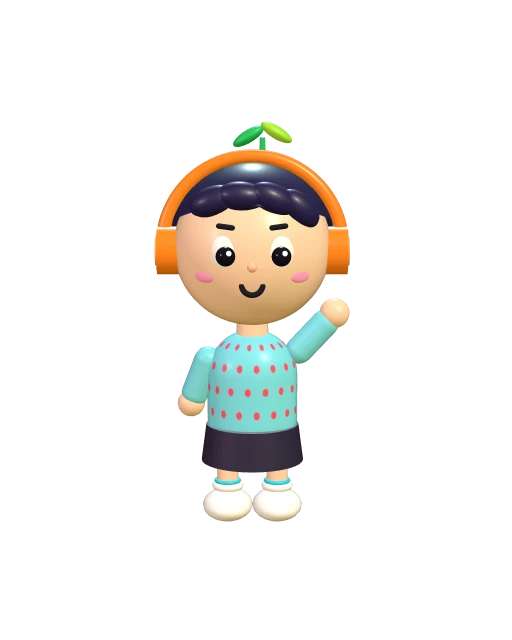
> player_1: SPROUT_
Sprout is a young learner with dyslexia who is wild about technology. Sometimes letters wriggle and swap places on the page — but hand him a puzzle, a gadget or a 3D character to build, and his ideas take off.
He loves keeping things safe online and making things move on screen. At CyberSprout, he invites every child to discover what he knows:
Different minds.
Bright ideas.
Here's how the day flows — guests visit the booths in order. Tap each stop to collect your adventure stamp!
Hands-on cybersecurity games that teach kids how to stay safe online — no scary stuff, just smart habits.
See a situation on the laptop, then drop your token into the green SAFE or red DANGER box. Bonus: find 5 red flags in a screenshot in 30 seconds!
Learn how hackers guess passwords, then team up to arrange letter cards into a safe password on the board.
Decorate your own paper cup, pick an app cup like YouTube or a game, and connect strings to the Router and Server cups to see data packets travel.
Pick a real or fake badge and show it to the Guard, who checks it against the official one. Verified? You earn a lanyard!
Draw a situation card, read it and place it on the green SAFE or red SCAM side. Right answers earn points, stickers or tokens.
Sort example passwords into WEAK, MEDIUM and STRONG, find out why — then create a stronger one using the rules.
Test an example password (never your real one!) on Have I Been Pwned to see if it has appeared in a data breach.
Phishing red flags
Want a sneak peek? Try two mini-challenges ↓
Build a strong password. Practice only — never type your real password here!
Let's start!
Don't use your own name Don't use your birthday
Kids explore the magic behind animated characters — shapes, feelings, colours and textures.
Draw a character, build it with simple 3D software or plasticine, then give it a name and a personality.
Use cubes, spheres and cylinders to build a house, tree, car, animal or ice cream.
Look at 3D characters and guess how they feel: happy, sad, angry or surprised.
Colour an uncoloured 3D model and choose textures like wood, stone or grass.
This model has no colour yet — paint it and pick a texture!
How is this character feeling?

Real digital skills — online safety, money sense and how networks work.
Design characters and build 3D objects with colour and texture.
Booth games, puzzles and challenges with tokens, stickers and lanyards.
Confidence, creativity, social skills and safe habits that last.
Main participants
CyberSprout brings together two Universiti Poly-Tech Malaysia (UPTM) courses to spark curiosity, creativity and safety in the digital world.
CT206
Phishing, passwords, authentication, scams and how networks work.
CM201
Characters, 3D shapes, emotions, colour and texture.
Venue
TLKB Seri Sabah
Date
03 October 2026
Time
9:00 AM – 5:00 PM
Good to know
03 October 2026 · 9:00 AM – 5:00 PM
TLKB Seri Sabah
 Phishing red flags
 Don't use your own name


 Google Calendar
 Short briefing, then booths are visited in order
 Photo session at the end of the day